Garage Merch                Ron Pope Motorsports                California Custom Roadsters               

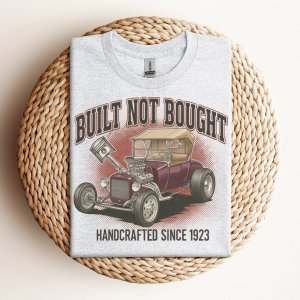
TBucketeer Shop - New Design Just Added

Will you please check why I have to log in every time I want to look at stuff? Thank you
Do you mean when you want to look at stuff here in the forums or in the store?
The link above should take you right to that t-shirt.
 
When ever I log on to the site I am required to log in and it didn't use to be that way.
I have not changed anything that would cause you to have to log in each time.
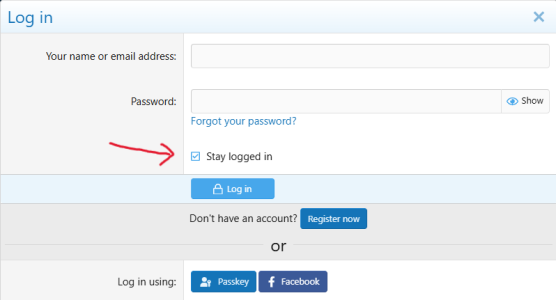
If you are not logging out and you checked the "Stay logged in" button (see image) when you log in, you should be fine.
I still get logged in automatically every time.

Screenshot 2026-03-30 085311.png

Have you changed computers recently?
What browser are you using (Chrome, Edge, Firefox, etc.)?
Is anyone else having this issue.
 
Firefox. The Stay Logged In auto checks.
I have my settings to delete cookies when the browser is closed, so I can either keep a browser open and just come back to this site and be logged in or close all browser pages and have to log back in. Those are my preferences and they work as expected.

LongJohn, you need to describe the operation and concerns so this can be addressed.
It is normally a function performed by Cookies. This means that your computer gets a little file that stays in your records. It tells the site page that you have logged in before and identifies you when you open the site. This is not happening now, but did in the past.
It can be the settings in your browser, or an update to the browser. If you switched browsers the new browser settings can be different.

So, what browser are you using? Have you changed it or your settings recently? Is the lack of auto log in only for this site?
Just like diagnosing a car issue, you need to pinpoint the concern to diagnose properly.

 
Firefox. The Stay Logged In auto checks.
I have my settings to delete cookies when the browser is closed, so I can either keep a browser open and just come back to this site and be logged in or close all browser pages and have to log back in. Those are my preferences and they work as expected.

LongJohn, you need to describe the operation and concerns so this can be addressed.
It is normally a function performed by Cookies. This means that your computer gets a little file that stays in your records. It tells the site page that you have logged in before and identifies you when you open the site. This is not happening now, but did in the past.
It can be the settings in your browser, or an update to the browser. If you switched browsers the new browser settings can be different.

So, what browser are you using? Have you changed it or your settings recently? Is the lack of auto log in only for this site?
Just like diagnosing a car issue, you need to pinpoint the concern to diagnose properly.

Well said
 
I don't think I changed anything. I have checked the stay loged in button. It's no big deal it's just a couple of clicks but slight agrivation. Thanks
 

     Ron Pope Motorsports                Advertise with Us!     
Back
Top